

Key Highlights
- Most users forget 70% of training within weeks, causing errors and support overload.
- DAPs enable real-time, in-the-flow learning when users need it.
- In-app search delivers instant answers instead of long manuals.
- Contextual, role-based, multilingual guidance keeps global teams aligned.
Introduction
For most organizations, the majority of training effort happens before a new system launches. Employees sit through classroom sessions, video modules, or hands-on workshops designed to prepare them for go-live. But once the system is deployed, this training often stops. Users are left to apply what they learned weeks or months earlier – and this is exactly where problems begin. Productivity drops, confidence dips, errors increase, and IT support becomes overloaded with basic questions.
The truth is simple: employees don’t retain information unless they use it consistently. When they begin working inside the live system, they encounter real processes, exceptions, and scenarios that no classroom training fully covers. They need instant answers in their moment of need – not a manual or a memory of a slide deck.
This is where modern Digital Adoption Platforms have changed the way organizations support their workforce. Today’s DAPs do more than provide guidance; they offer powerful in-app search capabilities that give users immediate access to the right information, right when they need it. In-app search is emerging as the new standard for enterprise learning, ensuring users can find answers quickly and stay productive beyond go-live.
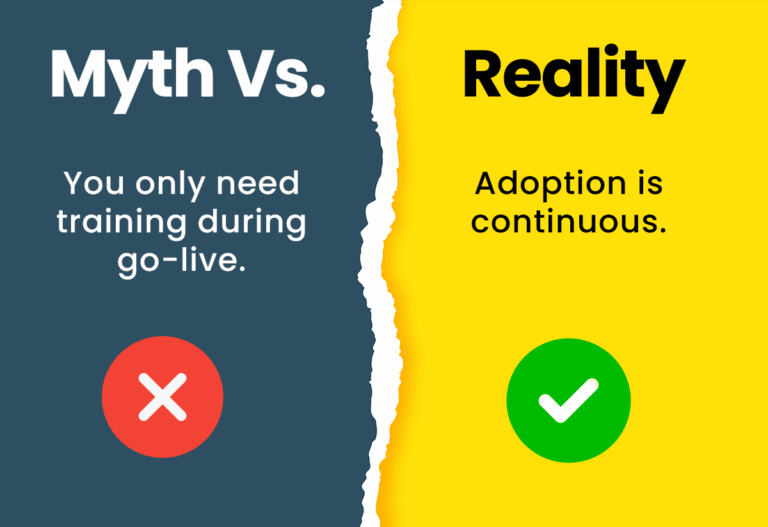
The Post-Go-Live Reality
Once users enter the live system, their biggest challenges begin-real tasks, real exceptions, and real pressure. Without instant, in-context support, adoption slows, and performance suffers.
1. Why Training Cannot Stop After Go-Live
Once a new ERP, CRM, HCM, or enterprise application goes live, employees face the challenge of translating theoretical training into real tasks. But because humans forget nearly 70% of new information within 24 hours, users often struggle to recall steps, rules, and procedures. They also encounter situations that never came up during pre-go-live training. This leads to confusion, mistakes, and frustration.
Employees naturally turn to super-users or IT for help, which creates bottlenecks and slows down task completion. Overreliance on support teams reduces productivity across departments, especially during the critical post-go-live period when adoption should be accelerating. Every delay, every repeated question, and every incorrectly executed step has a cumulative impact on operational efficiency.
This is why continuous, easily accessible support is essential. Training cannot be treated as a one-time event; it must extend into daily workflows. Users need a way to get answers instantly and independently – without waiting for help or leaving the application. Continuous learning improves long-term ROI As detailed in Assima Train vs alternative systems training platforms by reducing repeat errors, enabling consistent performance, and speeding up the adoption of new updates or system features.
In-app search directly addresses these challenges by providing a self-service solution that keeps users moving forward, even in unfamiliar situations.
2. The Role of a DAP in Post-Go-Live Success
Digital Adoption Platforms have become indispensable tools for enabling employees to perform tasks confidently after go-live. Unlike traditional training methods, which require users to remember steps from external resources, DAPs support employees directly inside the application. They bring learning into the flow of work, eliminating the cognitive overload of switching between tools, videos, manuals, or portals.
Before go-live, training is structured and controlled. After go-live, learning becomes fragmented and unpredictable. Users encounter exceptions, complex workflows, and role-specific tasks that were never covered in training materials. This is where a DAP transforms experience: it bridges the gap between training and actual performance.
Modern DAPs enable real-time support through contextual help, process guidance, and now – powerful in-app search capabilities. These tools give users the autonomy to search for answers at the exact moment they need them. This shift to self-service dramatically reduces dependency on super-users, trainers, and IT desks, improving response time, and reducing support costs.
The rise of digital self-service tools has changed user expectations. Employees expect instant answers, intuitive support, and easy access to information – just like they do in consumer applications. A DAP built with robust search features meets these expectations and helps organizations maintain productivity, consistency, and compliance long after go-live.
3. Essential DAP Features for Ongoing Support
- In-App Search – Immediate Access to Answers The most critical feature of modern DAPs is the in-app search. Users must be able to type a keyword and instantly retrieve step-by-step instructions, SOPs, process documents, simulation exercises, or policies. This reduces the time spent searching for help and minimizes errors caused by guessing or following outdated instructions.
- Contextual Help Contextual help ensures the user receives information relevant to the exact task they are performing. Instead of overwhelming employees with generic training, contextual DAP assistance surfaces only what they need at that moment. This leads to higher task accuracy and quicker task completion.
- Central Knowledge Base A centralized repository that stores all training assets – documents, walkthroughs, videos, simulations, SOPs – ensures users don’t need to hop between portals, shared drives, or emails. A unified knowledge of access improves consistency and keeps training aligned across teams.
- Role-Based Content Not all users require the same information. Role-based content ensures employees receive only the training relevant to their responsibilities. This prevents information overloading and improves adoption for job-specific tasks.
- Scalable Updates Enterprise applications like SAP, Oracle, and Salesforce change frequently. A DAP must support quick updates to guidance, documents, and searchable content, so users always have access to accurate information. This ensures consistent workflow execution even as systems evolve.
- Multilingual Support Global organizations require training and support in multiple languages. A DAP with multilingual capabilities ensures that global teams understand processes clearly, reducing errors caused by misinterpretation and creating a unified learning experience.
- Performance Analytics DAP analytics provide insights into what users search for, where they struggle, and which processes need improvement. These insights help organizations refine training content, fix workflow issues, and deliver targeted support to the right teams.
4. Why In-App Search Is a Must-Have Feature
In today’s fast-paced work environment, speed is everything. Users don’t have the time – or patience – to dig through manuals, watch long training videos, or wait for a colleague to respond. They need answers immediately, at the exact moment they encounter a problem.
This is why in-app search is no longer optional. Assima’s in-app search goes even deeper into how enterprises can transform user support. It gives employees instant access to knowledge without disrupting their workflow. When users can search for “create invoice,” “update employee record,” or “change customer address,” and instantly retrieve precise instructions, they perform better and faster.
In-app search also helps organizations reduce the time wasted switching between systems. Instead of toggling between applications or searching external portals, employees stay focused within the live system. It strengthens self-service behavior, minimizes repeated questions, and empowers users to handle complex tasks independently.
5. How Assima In-App Search Enhances Digital Adoption
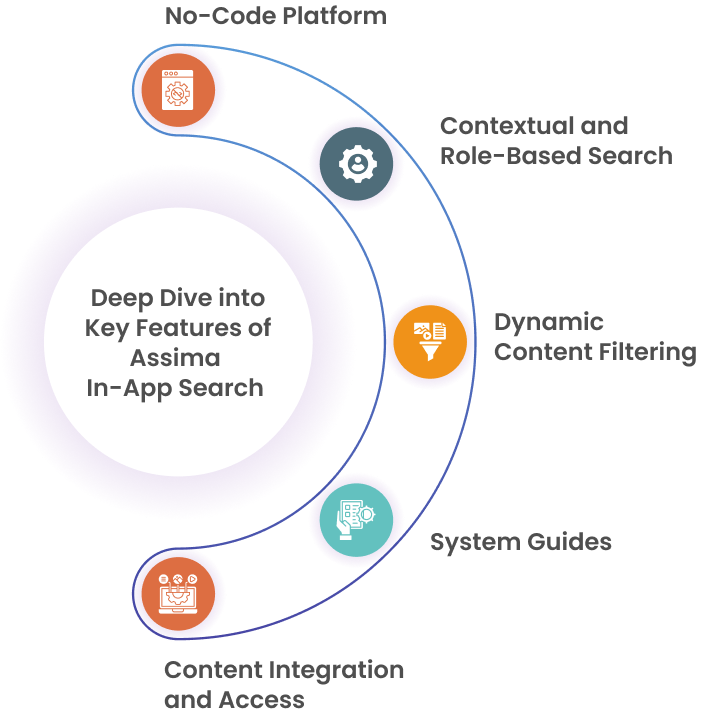
Assima brings advanced in-app search capabilities that elevate digital adoption across enterprise systems. With Assima, employees can search for any process, SOP, or training material directly inside the application they are using – whether it’s SAP, Oracle, Salesforce, or a custom-built solution.
Assima’s powerful indexing allows users to retrieve the right content instantly, including:
- Step-by-step instructions
- Standard operating procedures
- Policy documents
- Process walkthroughs
- Training simulations
- Compliance guidelines
This ensures users never feel stuck or dependent on IT support.
Assima’s in-app search also reduces operational risk by enabling self-service, eliminating the need for users to experiment on live systems. Because all content is available inside the workflow, users stay productive without switching tools or relying on memory.
Additionally, Assima’s search functionality spans multiple systems, making it an ideal solution for organizations with complex tech stacks. Users get a unified search experience while organizations maintain consistent training across global teams.
6. Best Practices to Strengthen Training Beyond Go-Live
To maximize digital adoption and ensure employees continuously learn, organizations should follow these best practices:
- Regularly update search results to ensure accuracy as systems evolve.
- Connect search with simulation-based training so users can practice tasks before performing them.
- Promote a self-service culture, encouraging users to search before escalating tickets.
- Analyze search patterns to identify common pain points and improve training content.
- Localize content for multilingual teams to remove language barriers.
- Centralize all training assets for unified access through the DAP.
These practices ensure that long after the go-live phase, users continue to work efficiently and confidently.
7. Long-Term Digital Adoption Strategy
Long-term software adoption requires organizations to think beyond training sessions and user manuals. Employees need ongoing support that fits naturally into their workflows. In-app search, combined with DAP capabilities, creates a future-ready system where users find answers instantly, learn continuously, and perform consistently.
Self-service is rapidly becoming the foundation of enterprise support. A strategy that integrates strong search capabilities within a DAP framework ensures employees stay aligned, compliant, and productive – even as systems evolve.
Conclusion
Training cannot end at go-live. Employees need continuous, accessible support to perform effectively in modern enterprise systems. A DAP with robust in-app search capabilities empowers users to find answers instantly, reduces dependency on IT, and ensures consistent, accurate workflows.
Assima’s in-app search, combined with its broader digital adoption capabilities, equips organizations with the tools they need for long-term success. With instant access to the right information at the right time, enterprises can drive faster adoption, reduce errors, and maximize the return on their digital transformation investments.
Get smarter, scalable training tools that elevate every learner
Frequently Asked Questions
Let’s Answer Some of Your Questions.
Post-go-live training helps users adapt to real workflows, reduce errors, and achieve faster productivity as systems evolve.
A strong DAP should include in-app guidance, simulations, analytics, contextual help, and real-time support to assist users during live tasks.
Assima Train offers hyper-realistic simulations, AI-powered guidance, and continuous updates so users can learn, practise, and perform confidently after go-live.
oganizations measure post-go-live training effectiveness so they can track user adoption, task completion rates, error reduction, usage analytics, and performance improvements through built-in DAP dashboards.
Yes-by providing self-help, step-by-step guidance, and automated content updates, a DAP minimizes repetitive IT support requests for post-deployment.